Coffee Bean Cooler Cleaning and Chaff Workflow
Keep the screen, fan path and collection area inspectable without contaminating roasted coffee.
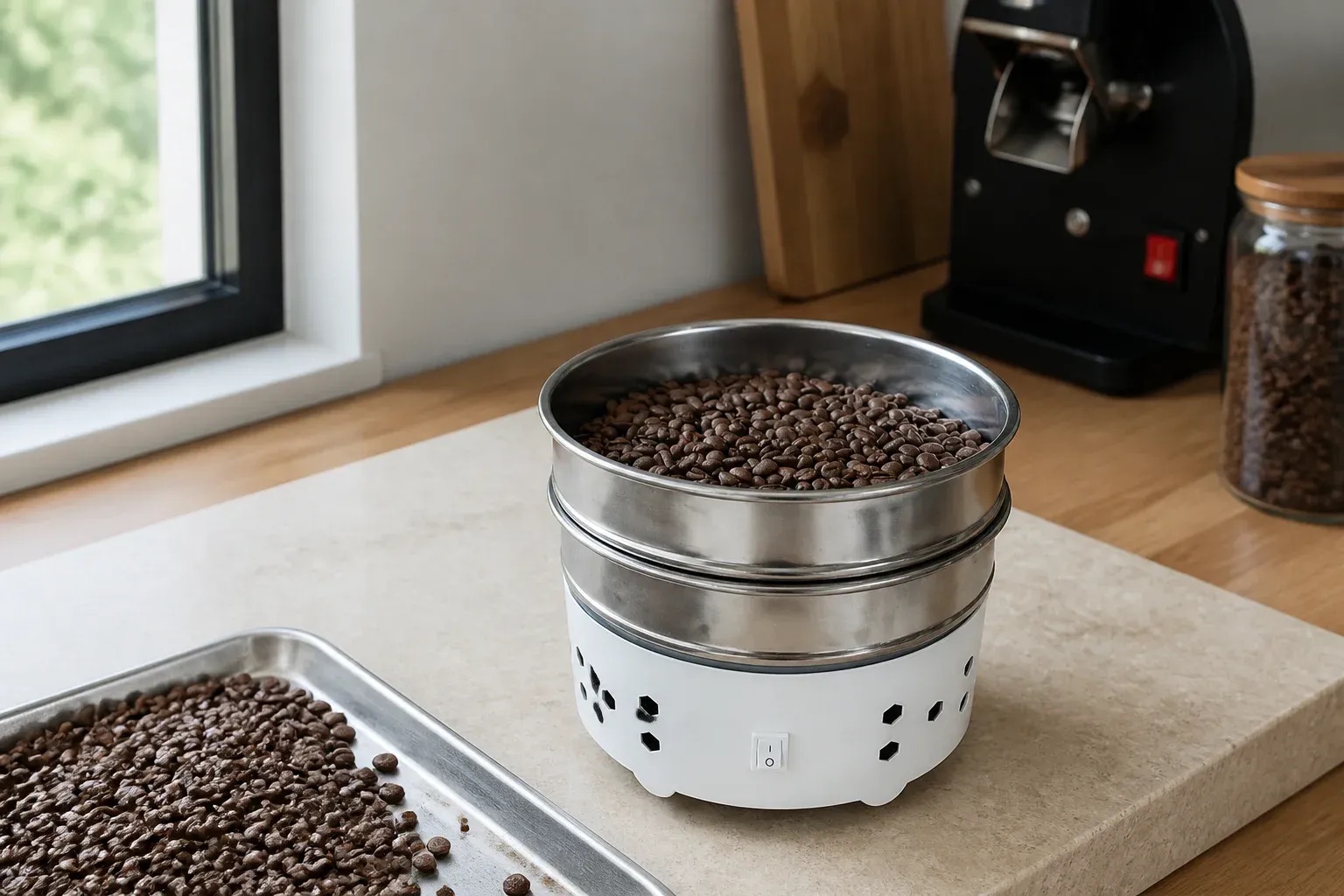
Short answer: Clean after the unit is unplugged and cool: remove loose chaff, inspect both sides of the screen, clear the collection and airflow paths, and use only cleaning methods permitted by the manufacturer. No liquid should reach the motor or electrical enclosure.
This 360 g ceramic-white cooler sits next to a home roaster. Unplug first, then start from the 360 g cooler product page. Keep the fan grille clear. Unplug before you rinse the painted base and the 304 sieves.
The decision this page helps you make
Keep the screen, fan path and collection area inspectable without contaminating roasted coffee. That means defining a pass condition before buying, fitting or using anything. This ceramic-white version is the 360 g cooler. The tray is 17.5 cm across.
This cooler is: This ceramic-white version is the 360 g cooler. The tray is 17.5 cm across. The fan in the painted-metal base is 20 W at 3,300 rpm, on 220–240 V, 50 Hz. Two 304 stainless sieves: 5-mesh holds the beans, 60-mesh catches chaff.
The non-negotiable boundary is equally important: Cooling performance changes with batch mass, bean depth, room temperature and airflow. Keep the dump in a thin layer, switch on the rocker, and stir so heat and chaff leave the beans.
A practical step-by-step workflow
- Step 1: Unplug and let the machine cool.
- Step 2: Move away from open roasted coffee before disturbing chaff.
- Step 3: Remove loose material with a dry method approved by the manual.
- Step 4: Inspect screen perforations from both sides.
- Step 5: Clean removable food-contact parts separately if the instructions allow.
- Step 6: Dry every refitted part completely.
- Step 7: Record airflow or cooling-time drift after reassembly.
Carry out the checks in order. For this specific decision, record the exact identity, the starting condition, the setting or method used and why the outcome was accepted or rejected. That turns a later change into something that can be diagnosed instead of an anecdote.
Evidence table
| Area | Routine check | Stop condition |
|---|---|---|
| Tray surface | No oily film or old fragments | Damage or coating change |
| Screen | Open holes and no compacted chaff | Bent mesh or trapped debris that cannot be removed safely |
| Fan path | No loose material visible | Access would require unauthorised disassembly |
| Cable/enclosure | Dry and undamaged | Liquid ingress, split cable or unusual noise |
Use the table as a stop/go record. When the current manual or service information gives a specific limit, that exact source takes priority over this general guide.
How this 360 g cooler fits the job
The 360 g tray is 17.5 cm across, sized for a home roast dump. Empty the lower sieve of chaff when you are done.
Common failure modes
- Cleaning while plugged in.
- Blowing chaff into the motor path.
- Spraying cleaner over the assembled unit.
- Using an abrasive that damages food-contact surfaces.
- Refitting damp parts.
- Waiting for cooling failure before inspecting the screen.
A documented stop decision protects the item and the diagnostic trail. It also makes a supplier question or return easier because the mismatch was recorded before damage or modification.
Read next
Use the product page for cooler details. Continue to coffee bean cooler explained a uk buyers guide, home coffee roaster cooling tray explained a uk buyers guide, cool roasted coffee beans after drop, coffee cooling tray capacity batch size only when that adjacent question becomes relevant. Together these pages cover buying, setup, evidence, maintenance and safety without repeating one broad buyer’s guide under several titles.
Frequently asked questions
What is the first check for this task?
Unplug and let the machine cool. This first check matters because the rest of the workflow assumes the correct item, information and starting condition.
What result should be written down?
Record the result of “Record airflow or cooling-time drift after reassembly.” together with the exact item or batch, relevant settings and any photograph or measurement that another person would need to repeat the decision.
Which product claim still needs verification?
This ceramic-white version is the 360 g cooler. The tray is 17.5 cm across. The fan in the painted-metal base is 20 W at 3,300 rpm, on 220–240 V, 50 Hz. Unplug first. The painted-metal base and the 304 sieves can be rinsed.
What is an immediate stop signal?
Cleaning while plugged in. is one avoidable failure. Also stop whenever cooling performance changes with batch mass, bean depth, room temperature and airflow. Keep the dump in a thin layer, switch on the rocker, and stir so heat and chaff leave the beans.
Sources and scope
Cooler details on this site are on the product page. Unplug before you rinse the painted-metal base and the 304 sieves.
These sources define principles within their stated scope. Keep the fan grille clear. Unplug before you rinse.
Bottom line
Clean after the unit is unplugged and cool: remove loose chaff, inspect both sides of the screen, clear the collection and airflow paths, and use only cleaning methods permitted by the manufacturer. No liquid should reach the motor or electrical enclosure. Stir while it runs so heat and chaff leave the beans. Empty the 60-mesh tray when you are done.